Assign Mailbox Import Export Role
Enable mailbox import and export capabilities in Exchange Online.
Last updated: 2025-01-15 How To
Overview
The Mailbox Import Export role is required for certain migration operations in Exchange Online. There are two methods to assign this role: using the Admin Exchange Center or PowerShell commands.
Two Methods Available
🖥️
Admin Center
GUI method
or
💻
PowerShell
Command line
Admin Exchange Center Method
1
Navigate to Roles
Open the Admin Exchange Center and go to the Roles section.
2
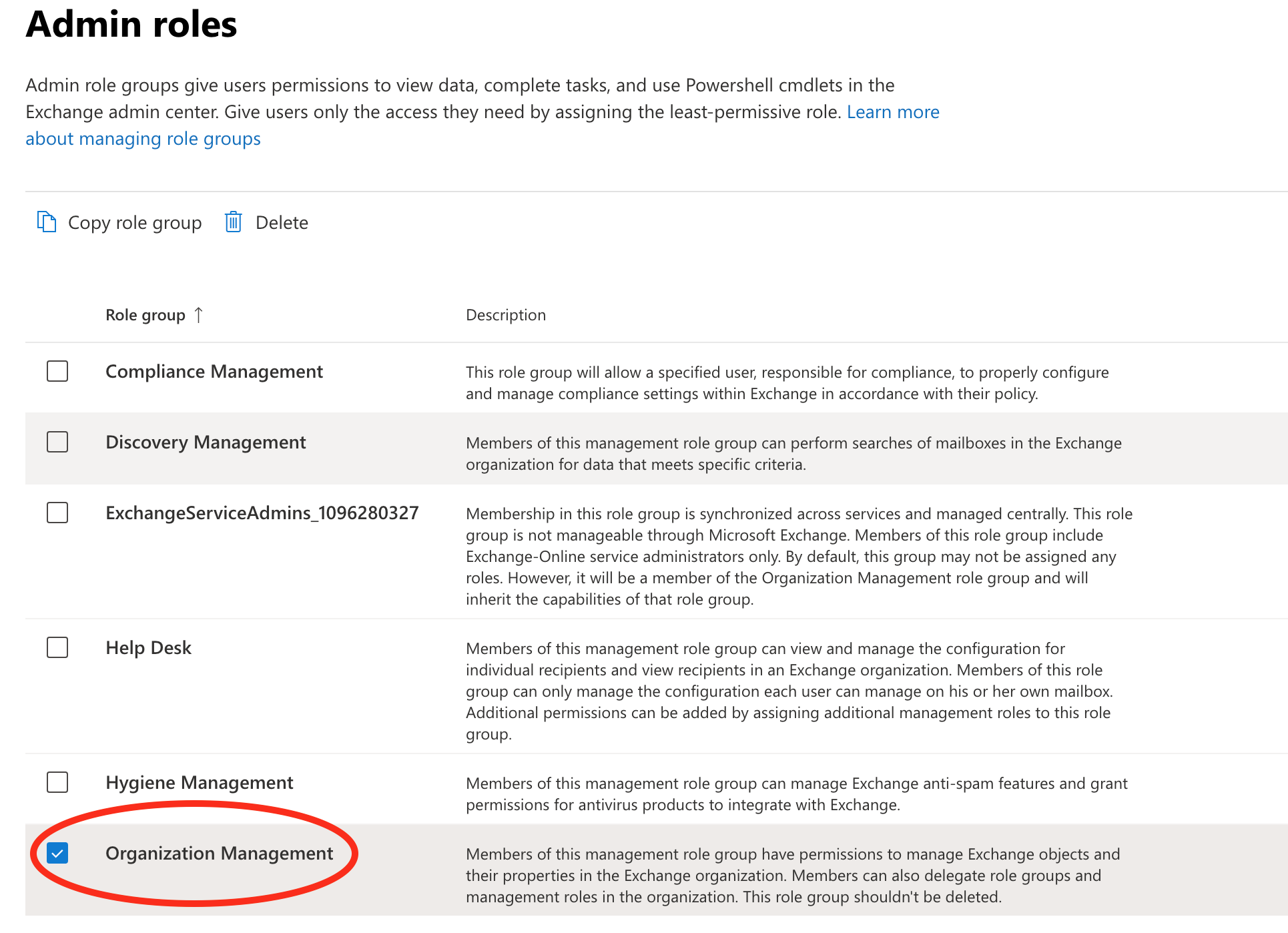
Select Admin Roles
Click on Admin roles to view available roles.
3
Enable Organization Management
Locate Organization Management and check the box to enable it.
4
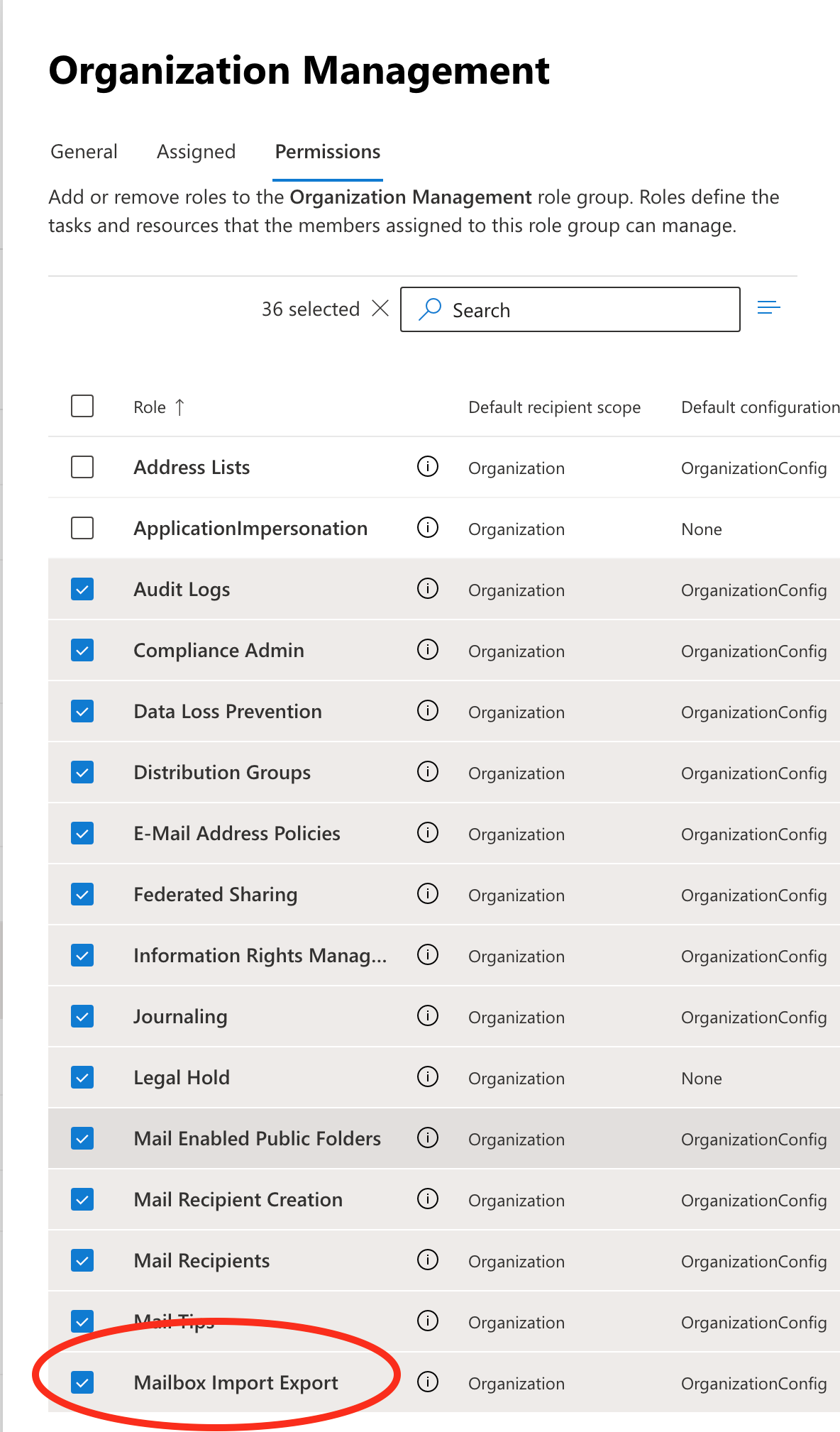
Verify Mailbox Import Export
In the expanded permissions, verify that Mailbox Import Export is checked.
5
Save Changes
Save your changes to apply the role assignment.
PowerShell Method
Command Steps
1. Import Module
Import-Module ExchangeOnlineManagement2. Connect to Exchange Online
Connect-ExchangeOnline -UserPrincipalName [email protected]3. Verify Existing Assignments
Get-ManagementRoleAssignment4. Add Permission (if needed)
New-ManagementRoleAssignment -Role "Mailbox Import Export"Verification
After completing the PowerShell steps, go to Admin Exchange Center to confirm
the permission has been added successfully.
Screenshots