Domain Name Fatal Error
Resolving domain configuration issues in connectors.
Last updated: 2025-01-15 Troubleshooting
Overview
Error Messages
"DomainName in source connector is not correct"
"DomainName in target connector is not correct"
Domain Authorization
Root Cause
Domain Not Configured
The domain name(s) of affected users aren't configured in the appropriate connector (source or target). Users must authorize domain migration in the appropriate connector.
Error Code Meaning
- • "source connector" = Add domain to source connector
- • "target connector" = Add domain to target connector
Solution
Add Domain to Connector
1
Navigate to Connectors
Go to the Connectors section in Cloudiway
2
Modify Connector
Click the "Modify" tab for the affected connector (source or target, based on error)
3
Add Custom Domain
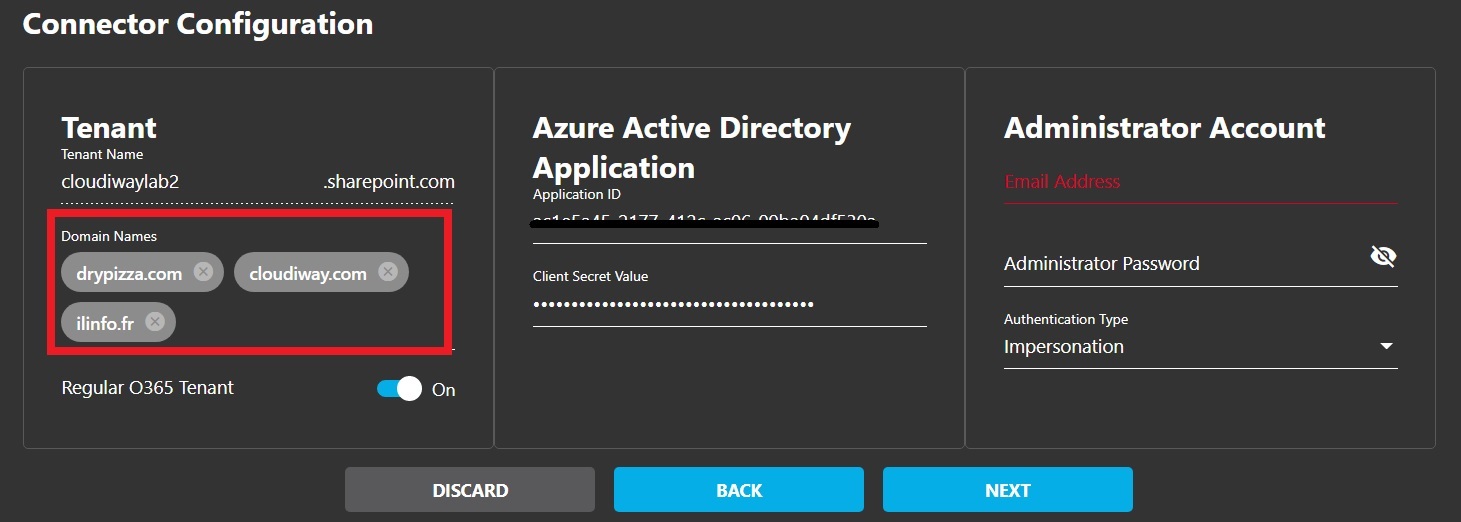
In "Connector Configuration," add the custom domain name (e.g., domain.com) and press Enter, then click Next
4
Complete Configuration
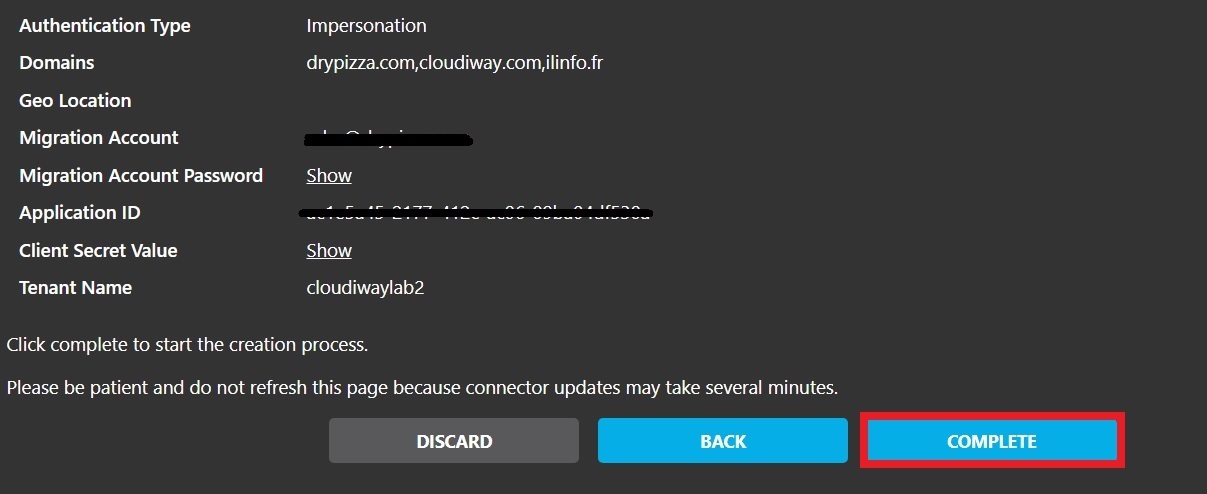
Click the "Complete" tab after adding required domains
5
Re-run Migration
Re-run the migration with updated connector configuration
Multiple Domains
If you have multiple custom domains, add each one to the connector
configuration. All domains used in email addresses must be authorized.
Screenshots