How Cloudiway Uses Microsoft Teams Import APIs
Understanding the technical process behind high-performance Teams migration using Microsoft's Import APIs.
Import API Migration Process
Overview
Cloudiway leverages Microsoft's Import APIs to optimize throughput when migrating from Slack and Microsoft Teams to Microsoft Teams. This approach provides significantly better performance than standard APIs and preserves original message metadata.
The migration process follows five key steps, each utilizing specific capabilities of the Import API to ensure accurate, efficient data transfer.
Automatic Process
Step 1: Team Creation in Migration Mode
Teams must be created programmatically in migration mode to access Import APIs. This is a special state that enables high-throughput message import.
What Happens
- • Teams are created with a "(Cloudiway Migration In-Progress)" suffix
- • Teams remain invisible to end users during migration
- • Teams are manageable through Teams Administration
Visibility
Step 2: Channel Creation in Migration Mode
Channels are also created programmatically in migration mode, but only within teams that are already in migration state. The platform handles this automatically when prerequisites are met.
Created in Migration Mode
- • Standard channels
- • Channel structure from source
- • Channel descriptions
Created After Migration
- • Private channels
- • Channel memberships
- • Channel tabs and apps
Step 3: Message Import
When both teams and channels are in import mode, the Import APIs activate automatically. This is where the significant performance benefits become apparent.
Import API Advantages
Thousands of messages per hour
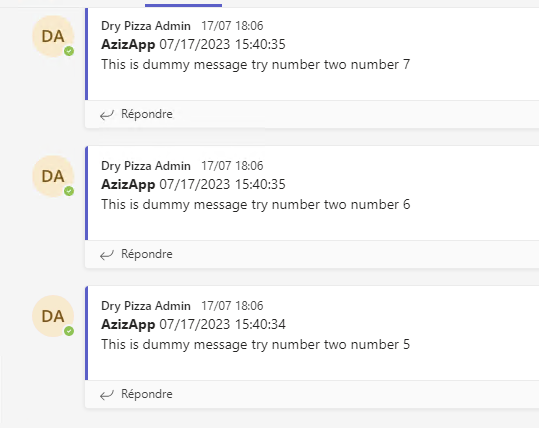
Original creator and timestamps
Messages appear chronologically
Throughput Improvement
Step 4: Team Closure (Post Migration Job)
Running the Post Migration job closes teams and removes the migration suffix. This critical step makes teams visible to users and transitions them to normal operation.
What Happens During Closure
- • The "(Cloudiway Migration In-Progress)" suffix is removed from team names
- • Teams become visible to all users
- • Import API functionality is disabled for these teams
- • Normal Teams operations resume
Important
Step 5: Membership and Private Channels
User membership migration and private channel migration occur after team closure. This is necessary because Import APIs don't support creating private channels in migration mode.
Membership Migration
Team owners and members are added to the team based on the source membership. Users receive appropriate roles (Owner, Member) as they had in the source.
Private Channel Migration
Private channels are created after the team exits migration mode. Channel membership and content are migrated according to original access permissions.
Key Benefits of Import APIs
High Throughput
Import thousands of messages per hour, compared to severely throttled standard API limits.
Timestamp Accuracy
Original message timestamps are preserved, so conversations appear in correct chronological order.
Author Attribution
Messages retain original sender information, maintaining conversation context and accountability.
Scalability
Suitable for enterprise-scale migrations with millions of messages across hundreds of teams.
Screenshots