Zimbra Connector Configuration
Set up your Zimbra connector for mail, contacts, and calendar migration.
Zimbra Migration Capabilities
Overview
The Zimbra connector enables migration of mail, contacts, and calendars from Zimbra Collaboration Server to Microsoft 365 or Google Workspace. Mail is migrated using IMAP, while contacts and calendars use native Zimbra APIs for comprehensive data transfer.
Via IMAP protocol
Contacts
Via Zimbra APIs
Calendars
Via Zimbra APIs
Prerequisites
- Zimbra Collaboration Server with admin access
- Administrator account credentials
- Network access to required Zimbra ports
- Domain names to be migrated
- Cloudiway account with migration project
Configuration Steps
Create New Connector
Navigate to Connectors and click NEW.
Select Zimbra
Choose Zimbra as the Connector Type.
Enter Connector Name
Provide a descriptive name and check the Mail option to enable mail migration.
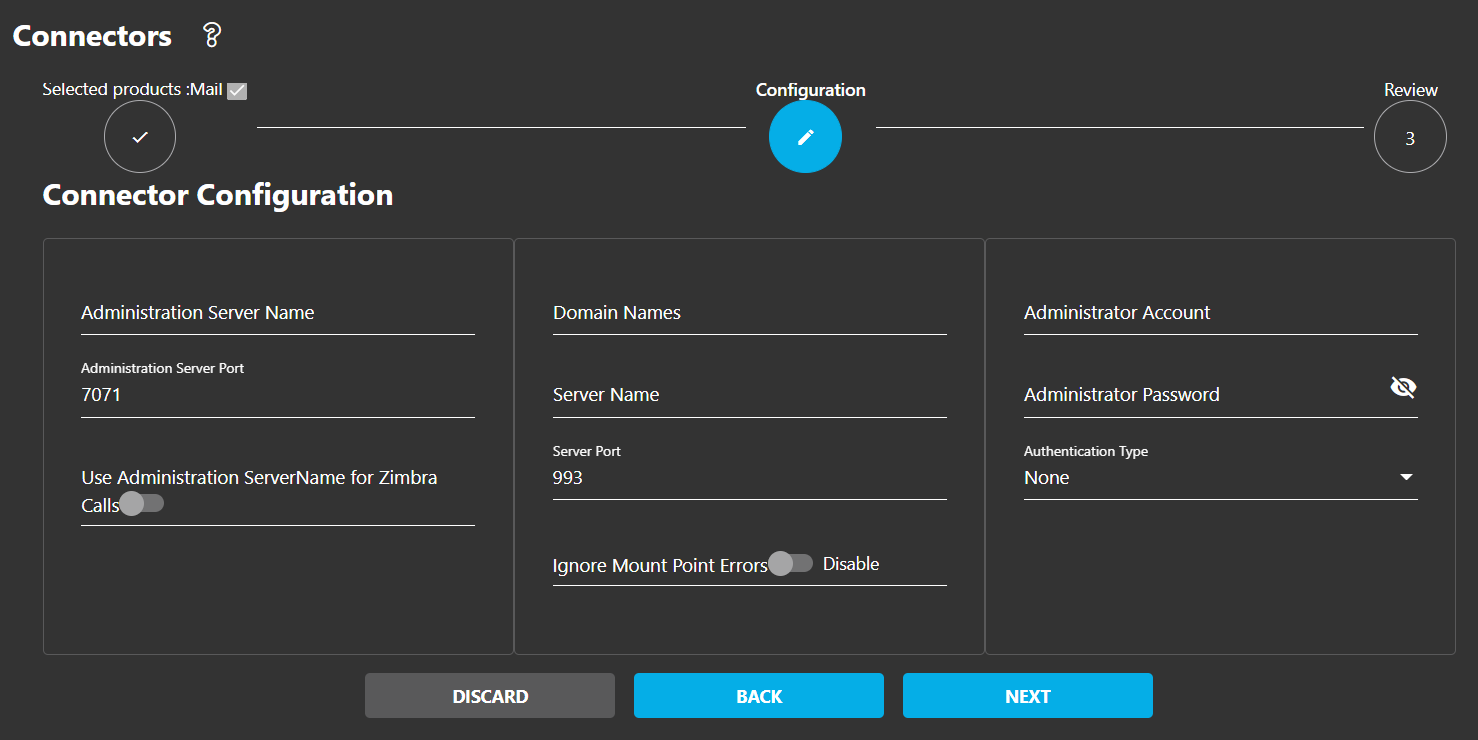
Complete Configuration Form
Fill in the required server and authentication details:
- Administration Server Name: Your Zimbra admin server hostname
- Server Name: Mail server hostname
- Administrator Account: Admin credentials for Zimbra
- Domain Names: List of domains to manage/migrate
Port Requirements
The Zimbra connector uses multiple ports for different functions:
| Port | Protocol | Purpose |
|---|---|---|
| 143 | IMAP | Standard IMAP mail access |
| 993 | IMAPS | IMAP over SSL (recommended) |
| 7071 | Admin | Zimbra admin port for system info |
| 443 | HTTPS | Web service access via SSL |
SSL Recommended
Firewall Configuration
If your organization requires firewall rules for external connections, you'll need to allowlist Cloudiway's IP addresses to enable the migration.
Getting IP Addresses
Contact Cloudiway support to obtain the current IP addresses that need to be allowlisted in your firewall for migration connectivity.
Required Outbound Access
- ✓ Zimbra server ports (143/993, 7071, 443)
- ✓ Microsoft 365 endpoints (for M365 target)
- ✓ Google Workspace APIs (for Google target)
Screenshots