IMAP Access Is Disabled for Your Domain
Enable IMAP in Google Admin Console to allow Gmail migration.
Error Message
Gmail Migration Error
IMAP access is disabled for your domain. Please contact your domain administrator for questions about this feature.
This error prevents the migration tool from connecting to Gmail mailboxes.
IMAP Connection Blocked
Root Cause
IMAP Disabled at Domain Level
IMAP functionality has been disabled at the domain level in your Google Workspace (formerly Google Apps) administration settings. This is a security setting that administrators can configure to prevent external email client connections.
Why IMAP May Be Disabled
- • Organization security policy restricts external mail access
- • Default Google Workspace settings in some configurations
- • Previous administrator disabled it for compliance reasons
Solution
Enable IMAP in Google Admin Console
Access Google Admin Console
Log into the Google Admin Console at
https://admin.google.com
with administrator credentials.
Navigate to Gmail Settings
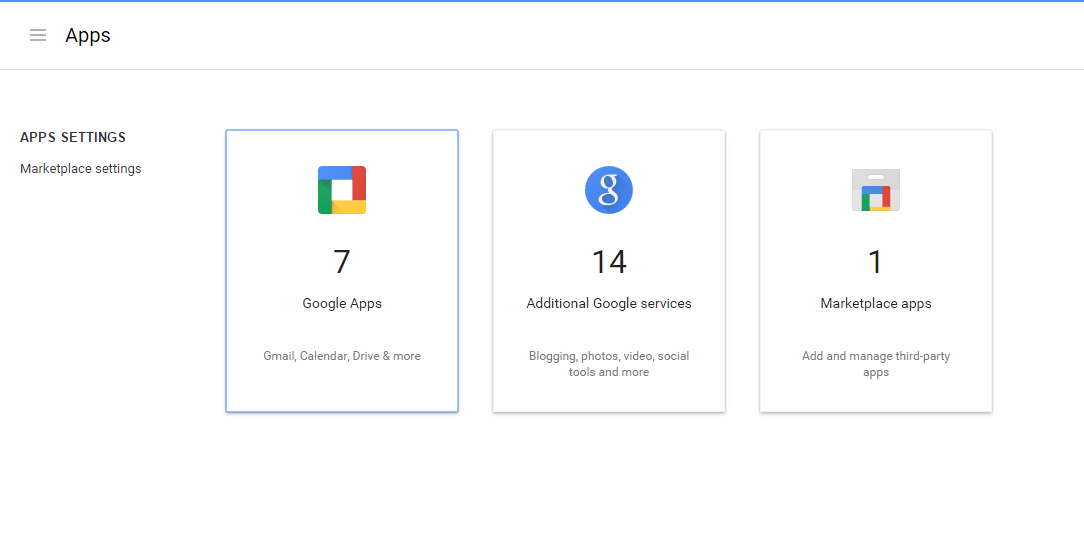
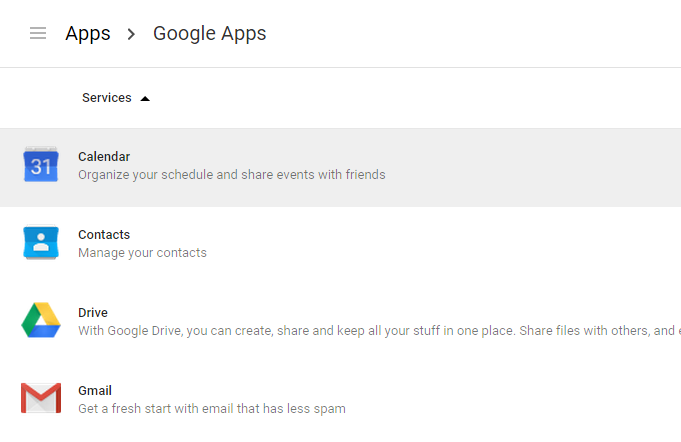
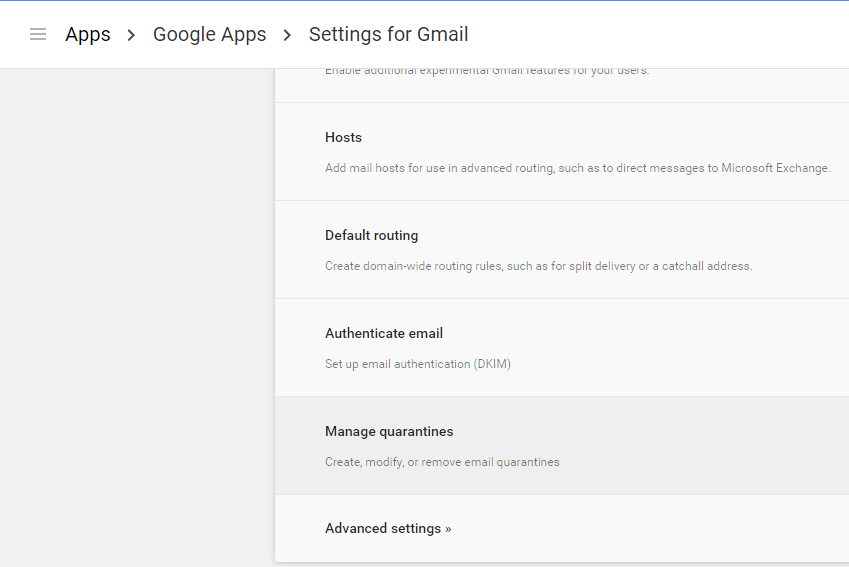
Go to Apps → Google Workspace → Gmail → User Settings (or Apps → Manage Apps and their settings in older versions).
Enable IMAP Access
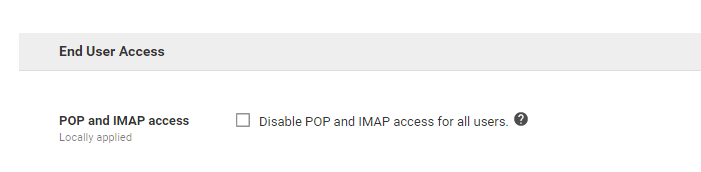
In the End User Access section, find the IMAP setting and enable it for your organization or specific organizational units.
Wait and Retry
Allow up to 24 hours for the change to propagate, then retry the migration. Most changes take effect within minutes.
Administrator Access Required
After Enabling IMAP
- • Individual users can also enable IMAP in their Gmail settings
- • Consider enabling it temporarily just for the migration period
- • You can disable IMAP again after migration is complete
Screenshots