Self-Service Migration with Cloudiway
Empower users to migrate their own mailboxes securely.
Self-Service Migration Flow
Overview
Cloudiway offers a self-service migration option for users migrating mailboxes from Zimbra, IMAP, or Office 365 to Microsoft 365. This approach is useful when a source administrator account is not an option to be used during the setup.
Zimbra
Self-service supported
IMAP
Self-service supported
Office 365
Self-service supported
When to Use Self-Service Migration
Ideal Scenarios
- ✓ No admin credentials available for the source system
- ✓ Users want control over when their migration occurs
- ✓ Privacy policies prevent sharing admin credentials
- ✓ Migrating from multiple different source systems
Use Case
How It Works
Configure Self-Service Authentication
When creating a connector, select "Self Service" from the Authentication Type dropdown menu instead of providing admin credentials.
Send Self-Service Links
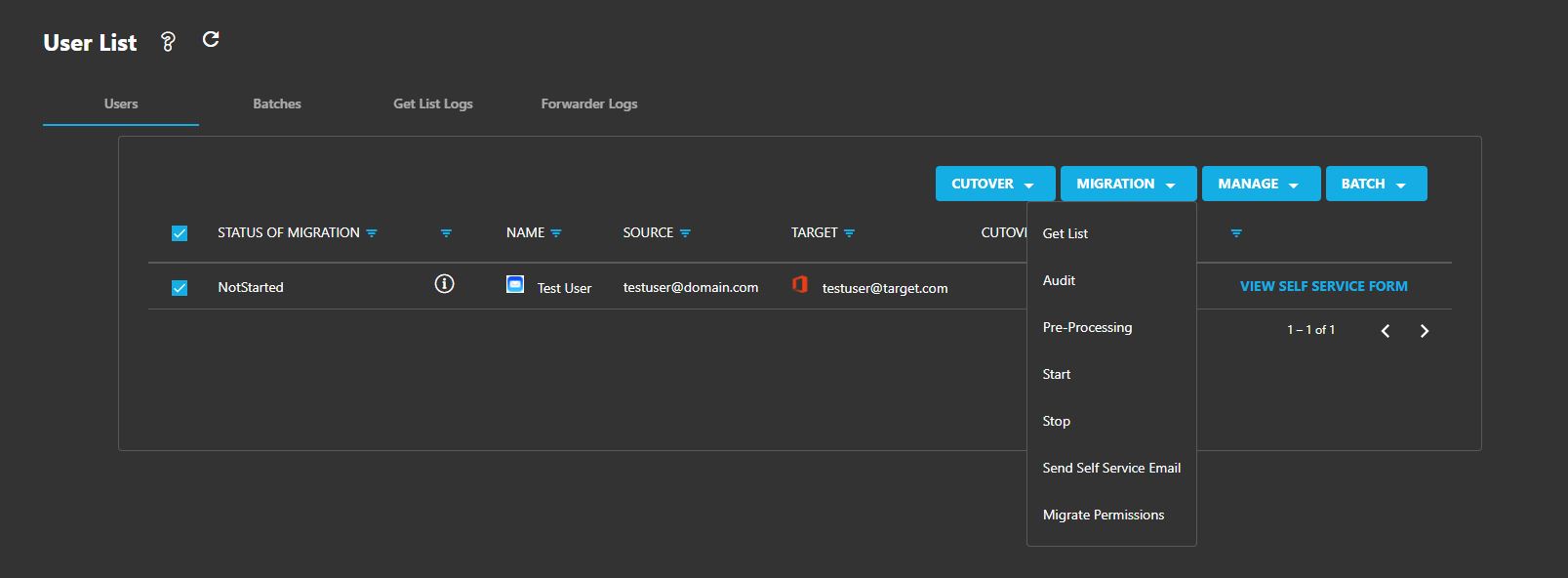
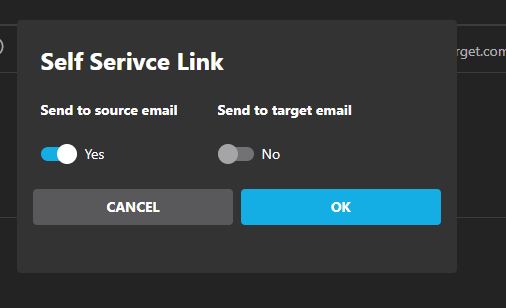
Select users and choose "Send Self Service Email" from the migration menu. You can direct emails to:
- • Source mailbox address
- • Target mailbox address
- • Both addresses
User Receives Email
Recipients receive an email from [email protected]
containing a Self Service Link.
User Starts Migration
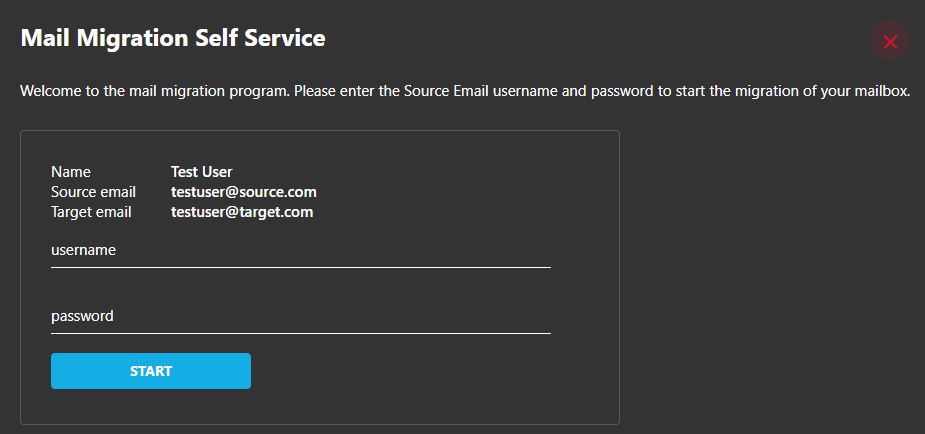
Upon clicking the link, users access a form where they enter the username and password of their source mailbox and start the migration.
Alternative: Admin-Assisted Method
Admins with existing credentials can bypass email delivery by selecting "View Self Service Form" from the user list and entering credentials directly for each user.
Important Considerations
Spam Filter Warning
Spam filters may block notification emails from [email protected].
Configure your email security to allowlist this sender before starting self-service migrations.
Supported Source Systems
Self-service migration is available for:
- • Zimbra email servers
- • IMAP-compatible email servers
- • Office 365 tenants
Documentation
Screenshots